
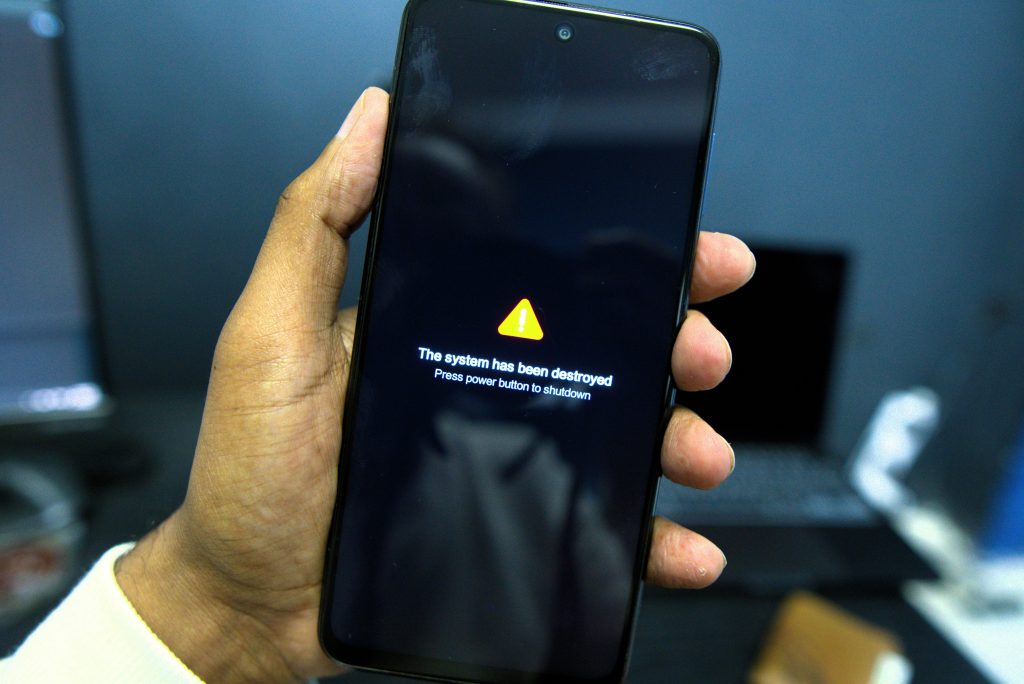
More than 60 percent of phone users will face some type of hacking attempt in their lifetime. Many will not notice until it is too late. Random battery drain, unfamiliar apps, or data disappearing faster than normal are not just minor problems — they could be signs that someone else has access to your phone right now.
Here is the scary part: hackers do not need to physically have your phone. A single unsafe link, an unsafe app, or an unsecured Wi-Fi network is all it takes to compromise your device. This puts your bank accounts, your photos, and your personal messages at risk.
In this guide, we will walk you through 15 signs your phone is hacked and explain why each one happens and show you, step by step, how to fix it before real harm is done. Let’s find out if your phone is safe.
Table of Contents
Signs your phone is hacked: Complete Warning Signs List
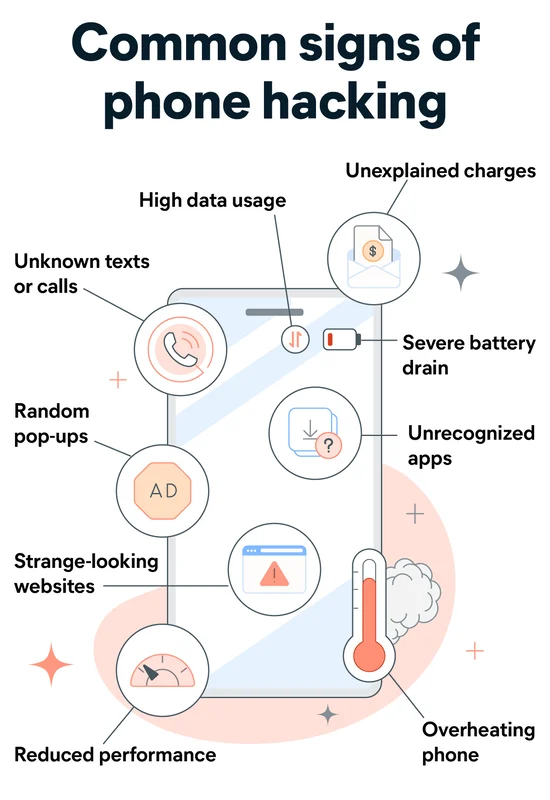
Wondering about the signs your phone is hacked? Here are the 15 most common warning signs to check right now:
1. Sudden and Unexplained Battery Drain
One of the common signs your phone is hacked is sudden battery drain, even when you are not using it much.
Malicious software (spyware or malware) runs in the background constantly, sending your data to a remote server. This ongoing activity uses up battery power quickly, even when your screen is off.
What to check: Go to Settings > Battery > Battery Usage. Look for apps that are using an unusually large amount of power.
2. Your Phone Is Overheating for No Reason
Along with battery drain, overheating is another warning sign. When malicious background processes run constantly, your phone’s processor works harder, which generates heat — even when the device isn’t actively being used. if this happens alongside other signs your phone is hacked, investigate your device for suspicious apps or activity.
3. Increased Mobile Data Usage
Spyware and hacking tools need internet access to send stolen data (contacts, messages, photos, location) to hackers. This causes a noticeable spike in background data usage, even if your habits haven’t changed.
Already spotting a few of these signs? Don’t wait for the full list — check out our complete guide on how to protect your phone from hackers for steps you can take right now.
4. Unusual Pop-Ups and Ads
Pop-ups appearing outside your browser — even when no apps are open — are a sign of adware or malware. These pop-ups often try to trick you into clicking fake security alerts or prize notifications, which can install even more malicious software.
5. Apps You Do Not Remember Installing
Check through your list of installed apps. If you see anything you never downloaded, this is a red flag. Hackers often use these apps as a gateway to access your device, steal data, or install additional malicious software.
6. Your Phone Is Slower Than Usual
A noticeable drop in speed, along with apps crashing, lagging, or freezing, often happens because malicious background processes are consuming your phone’s resources (CPU, RAM).
7. Unusual Activity on Your Online Accounts
Have you noticed logins from unfamiliar devices, password reset emails you didn’t request, or messages sent from your social media that you didn’t write? This usually means a hacker has accessed your phone and is using it to control your linked accounts.These are important signs your phone is hacked,especially when unusual account activity appears without any action from you.

8. Increased Spam Calls or Texts
If your contacts start receiving spam messages or calls from your number, it likely means your phone number or messaging apps have been hijacked and are being used to spread malicious software.
9. Camera or Microphone Indicator Turns On Unexpectedly
Modern phones (Android 12+ and iOS 14+) show an orange dot when the camera or microphone is active. If this dot appears when you’re not using any camera or mic app, it’s a sign that malicious software may be secretly recording you.
10. Your Phone Restarts or Shuts Down on Its Own
If your phone reboots or powers off frequently without explanation, it can mean malicious software is interfering with your phone’s system processes.
11. Unfamiliar Charges on Your Bill
Some hacking tools sign you up for services or subscriptions without your permission. Always check your phone bill for charges you don’t recognize.
12. Settings Changed Without Your Permission
If your default browser, homepage, or security settings change on their own, this could mean malware has taken over system permissions.
13. Poor Call Quality or Strange Background Noise
While rare, some spyware tools intercept calls, which can cause static, echoing, or clicking sounds during conversations — a sign your calls might be monitored.
14. Google Play Protect or Antivirus Is Disabled
Advanced malware often tries to disable your phone’s built-in security features so it can operate without being detected or removed.
15. Your Phone Just Feels “Off” — Trust Your Gut
Sometimes there’s no single obvious sign, just a combination of small things feeling wrong. If your instincts say something isn’t right, it’s worth checking your phone’s security rather than ignoring it.
How to Fix a Hacked Phone (Step-by-Step)
If you’ve noticed several of these signs, don’t panic. Most hacking problems can be fixed if you act fast. Follow these steps in order.
Step 1: Disconnect From the Internet
Turn on Airplane Mode immediately. This stops hackers from sending or receiving data from your phone while you investigate.
Step 2: Run a Security Scan
Install a trusted security app (such as Malwarebytes, Bitdefender, or Norton Mobile Security) and run a full scan. This will often automatically detect and remove malicious software, ads, or harmful apps.
Step 3: Delete Suspicious Apps
Go through your app list and uninstall anything you don’t recognize or don’t remember downloading. If an app is difficult to remove, it may have elevated permissions. Remove them from Settings > Security > Device Admin Apps (Android) or Settings > General > VPN & Device Management (iPhone).
Step 4: Change All Your Passwords
Once malware is removed, change the passwords for your email, banking, and social media accounts. Do this from a clean, trusted device, and use a unique password for each account.
Step 5: Enable Two-Factor Authentication (2FA)
2FA adds an extra layer of security so that even if a hacker has your password, they can’t log in without a code sent to your phone.
Step 6: Update Your Operating System
Outdated software often contains security flaws that hackers exploit. Go to Settings > Software Update and install the latest version. Updating regularly fixes known vulnerabilities.
Step 7: Factory Reset (If the Problem Persists)
If unusual behavior continues after completing the steps above, a full factory reset is the most reliable fix. Back up your data, photos, and contacts first — but avoid restoring from a backup that may already contain infected files.
Step 8: Contact Your Phone Carrier
If you suspect your SIM card has been hijacked (SIM swapping) or notice unexplained charges, contact your carrier immediately to protect your account and phone number.
Android vs iPhone: Which Is More Likely to Be Hacked?
| Factor | Android | iPhone(iOS) |
| App Sources | Allows installing apps from outside the Play Store, increasing risk | Only apps from the App Store, which enforces strickter checks |
| Customization | More flexibility,but more potential entry points | Closed system – harder for malicious software to gain deep access |
| Update Timing | Depends on the manufacturer, often delayed | Consistent and fast updates across all devices |
| Built-in-Protection | Google Play Protect | Built-in-sandboxing, App Tracking Transparency |
| Common Attack Method | Malicious APKs, fake apps | Phishing links, malicious configuration profiles |
Bottom line: iPhones can be hacked, but their closed ecosystem makes large-scale malware attacks less common. Android offers more flexibility and customization but is more open to risk — especially for users who download apps from third-party sources.
Frequently Asked Question
Can someone hack my phone by calling me?
No, simply answering a call cannot hack your phone. However, some advanced spyware (like Pegasus) has exploited missed-call vulnerabilities on outdated systems. Keeping your system up to date prevents this.
Can my phone be hacked through Wi-Fi?
Yes. Public, unsecured Wi-Fi networks are a common way for hackers to intercept your data. Always use a VPN when connecting to public Wi-Fi.
Will a factory reset remove a hacker?
Yes, in most cases. A factory reset wipes all apps and data, removing the malicious software along with it. Always restore from a backup made before the infection started.
Does an antivirus app fully protect my phone?
Antivirus apps help significantly, but they don’t guarantee 100 percent protection. Combining antivirus software with safe browsing habits and regular updates gives you the best defense.
How can I stop my phone from being hacked in the future?
Avoid clicking unfamiliar links, only download apps from official stores, keep your system updated, use strong passwords with two-factor authentication, and avoid public Wi-Fi without a VPN. For a full breakdown of these protective steps, see our guide on how to protect your phone from hackers.
Final Thoughts
Your phone holds some of your most sensitive information — banking details, personal photos, messages, and passwords — making it a prime target for hackers. As we’ve covered, warning signs like battery drain, unfamiliar apps, and strange account activity should never be ignored.
The faster you catch these signs, the easier it is to fix the problem before serious harm occurs.
Remember, security isn’t a one-time fix — it’s a habit. Update your system regularly, avoid apps from untrusted sources, use strong passwords with two-factor authentication, and stay cautious on public Wi-Fi networks.
If you noticed any of these 15 signs while reading this article, don’t wait. Take the steps outlined above now. Staying alert and acting quickly is your best defense against phone hacking in 2026 and beyond.
