
Don’t wait until it’s too late. Learn exactly how to protect your phone from hackers with these simple, proven smartphone security tips for Android and iPhone.
As of 2026, cybersecurity experts report that millions of smartphones are compromised globally every single year due to outdated software and unsecured networks. Many users don’t even realize their devices are infected until their banking details or private photos are leaked online. If you want to secure your digital life, you need to act now.
For more smartphone security advice, see the FTC’s guide to protecting your phone from hackers.In this comprehensive guide, you will learn exactly how to protect your phone from hackers using proven, everyday security practices.
Table of Contents
Why Smartphone Are Easy Target for Hackers
Most users believe that their phones are naturally secure right out of the box. However, cybercriminals constantly exploit small security loopholes that we overlook every day. Mobile operating systems are complex, and a single unpatched vulnerability can grant a hacker full access to your personal life. Understanding these risks is the first critical step toward complete digital protection.
Here are the most common ways hackers gain access to your smartphone:
● Unsecured Public Wi-Fi Networks: Coffee shops, hotels, and airport networks rarely encrypt your data. This allows hackers to perform “Man-in-the-Middle” (MitM) attacks and intercept your passwords. If you regularly use public Wi-Fi, check out our guide to the best VPN apps for an added layer of privacy.
● Phishing and Smishing Links: Malicious links sent via SMS (Smishing) or email can instantly install hidden spyware on your device without your knowledge.
● Outdated Operating Systems: Missing a system update leaves known security bugs wide open for exploitation.You can check Google’s official Android update guide for instructions on keeping your device up-to-date.
● Malicious Third-Party Apps: Downloading apps from unofficial sources often introduces malware disguised as useful utilities or games.

Critical Signs Your Phone Might Already Be Hacked
Keep a close eye on your device performance and watch out for the following warning signs. if you’re unsure whether your device has been compromised, check our guide to the signs your phone is hacked.
1. Abnormal Battery Drain
If your phone’s battery life suddenly drops drastically even when you are not using it, background spyware might be running constantly to transmit your data to a remote server.
2. Mysterious Data Usage Spikes
Check your mobile data usage in settings. A sudden, unexplained spike in data consumption often indicates that malicious software is uploading large files, photos, or logs from your phone.
3. Extreme Overheating
Phones get warm during heavy gaming or charging. However, if your device feels hot while sitting idle in your pocket, it means the processor is working hard running unauthorized background tasks.
5 Essential Steps: How to Protect Your Phone From Hackers
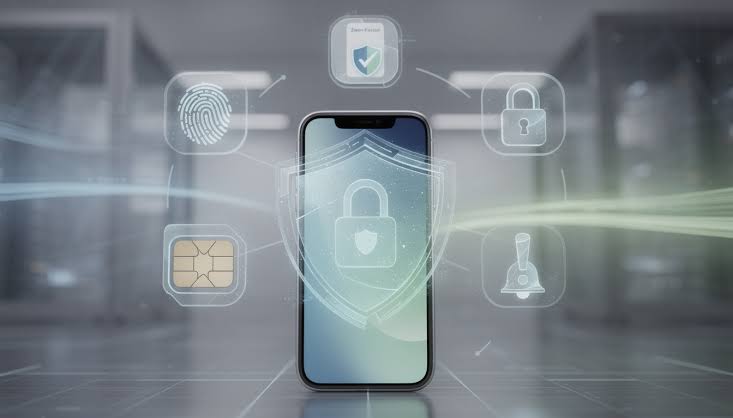
You do not need to be a software engineer to secure your device. By implementing these five proven strategies, you can successfully block 99% of common mobile hacking attempts and secure your private data. Learning how to protect your phone from hackers starts with these simple security habits.
1. Enable Two-Factor Authentification(2FA)
Traditional passwords are no longer enough to protect your accounts. Enabling 2FA ensures that even if a hacker successfully steals your password, they cannot log into your accounts without a secondary verification code sent to your physical device or an authenticator app. For a detailed guide, learn how to enable two-factor authentication(2FA) on your accounts.
2. Avoid Public Wi-Fi Without a VPN
If you absolutely must connect to a public network, always turn on a trusted Virtual Private Network (VPN) first. A VPN completely encrypts your internet traffic, turning your data into unreadable code and making your online activities invisible to hackers sharing the same network.
3. Update Your OS and Apps Immediately
More on this later, but keeping your software updated is your absolute best line of defense. Software updates are not just for new features; they contain critical security patches that fix the exact bugs cybercriminals use to break into your system. Always turn on automatic updates.
4. Review App Permission Closely
Does a simple flashlight or calculator app really need access to your contacts, location, and microphone? Check your phone’s privacy settings today and revoke unnecessary permissions from apps you do not completely trust.
5. Install a Trusted Mobile Security App
A reliable mobile antivirus app acts as a real-time shield. It continuously scans your new downloads, detects hidden spyware, blocks dangerous phishing websites, and alerts you the moment any suspicious activity occurs on your smartphone.
Android vs. iPhone: Which is More Secure?
Both major operating systems handle security differently. While both are generally safe, understanding their structural differences helps you protect them better. Apple also recommends keeping your iPhone updated to help protect against security threats.
Here is a quick comparison of mobile security features:
| Security Feature | Google Android | Apple iOS (iPhone) |
| Ecosystem Design | Open-source (More customizable) | Closed-source (Sandboxed environment) |
| Sideloading Apps | Allowed ( Higher risk of malware) | Restricted by default (safer) |
| Security Updates | Depend on the phone manufacturer | Distributed directly by Apple instantly |
| App Store Security | Google Play Protect scans apps | Strict App Store vetting process |
Final Thoughts: Staying One Step Ahead of Hackers Long – Term
Securing your mobile device is not a one-time setup; it is a continuous process of digital hygiene. As cyber threats become more sophisticated, leaving your device unprotected puts your personal data, financial accounts, and privacy at serious risk. By implementing basic steps like enabling 2FA, keeping your operating system updated, and using a VPN on public networks, you can easily neutralize the vast majority of mobile hacking attempts.
Take control of your smartphone security today before a vulnerability catches you off guard.The best way to protect your phone from hackers is to stay consistent with these security practices.
What is your top mobile security priority this year? Let us know in the comments below, and don’t forget to subscribe to our newsletter for the latest gadget safety reviews and tech updates!
